
 EN
EN



Free plugins for your Football Manager
Add-ons that run inside the game. The FMSH installer sets up the ones you choose and the app keeps them up to date.
 Early accessVersion 0.1.4
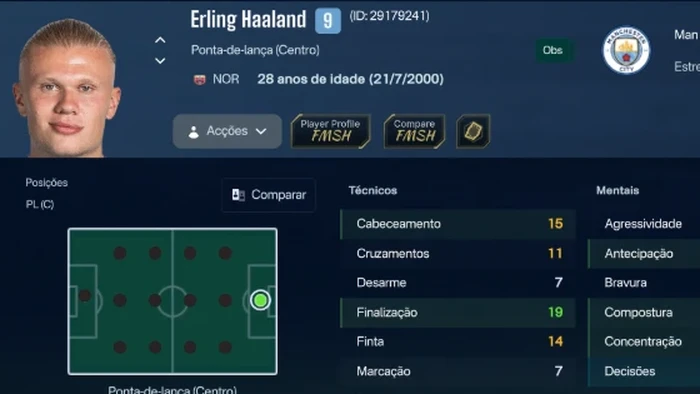
FM ActionLink - FMSH
FMSH buttons on the player profile, next to Actions: open the profile in the app or compare two players without leaving the game.
Skins- Game default
- CTRL 26
- ASF
- MrTini23
 Version 1.1.2
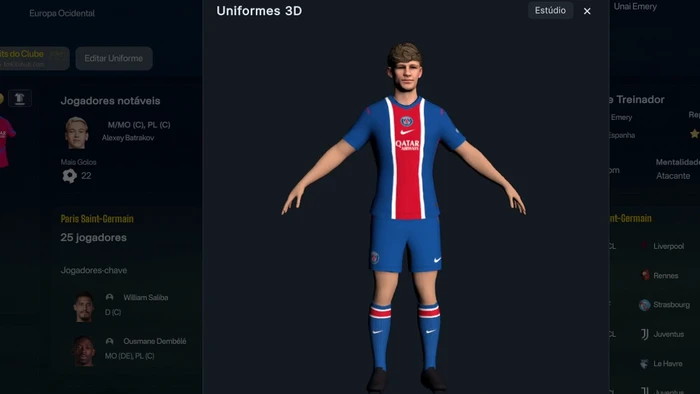
FM ActionLink - Kits 3D
Kits in 3D on the club screen and the full kit on a 3D player model.
Skins- Game default
- CTRL 26
- ASF
- MrTini23
 Version 1.0.5
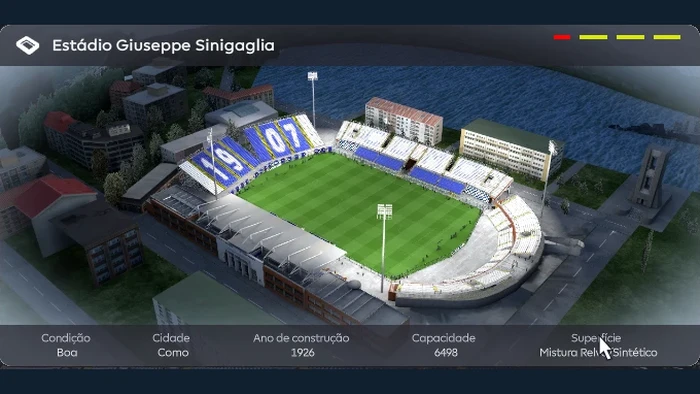
FM ActionLink - Stadiums 3D
The club's stadium in 3D, right on the game's stadium screen.
Skins- Game default
- CTRL 26
- ASF
- MrTini23
 Version 1.1.2
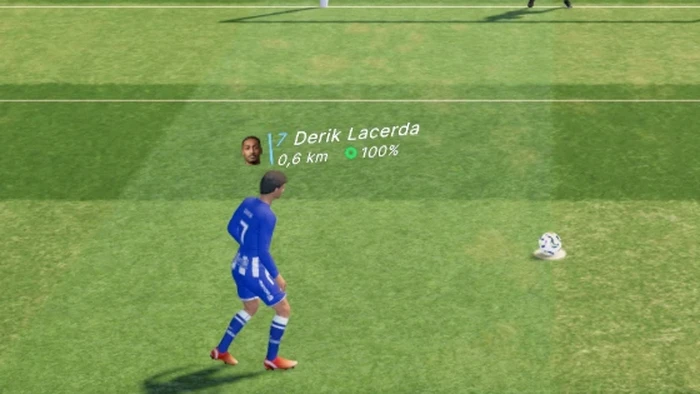
PitchHUD
Shows on the pitch, during the match, each player's name, photo, distance covered and condition.
Skins- Works with any skin
 Version 1.0.2
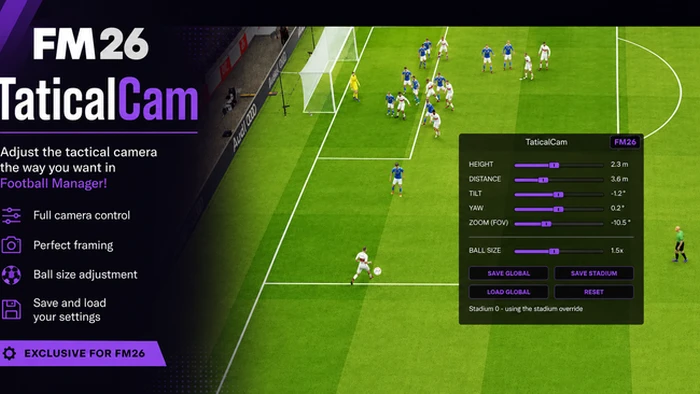
TacticalCam
Adjust the game's tactical camera: height, distance, tilt, zoom and ball size, with settings saved per stadium.
Skins- Works with any skin
The .zip is for manual installation and needs BepInEx already installed in the game.
How it works
Install FMSH
The installer lists the available plugins and you tick the ones you want.
Just play
The plugins show up inside Football Manager, with nothing to set up.
Stay up to date
FMSH updates the plugins by itself, with the game closed, and goes back to the previous version if something fails.